
Texture types allow for creating a wide variety of materials. This section of the Reference Guide details all the nodes related to textures and texture modifications available in OctaneRender for Maya. It is important to keep in mind that Octane materials can only use Octane textures, standard Maya texture nodes are not compatible with Octane shaders.
The Octane texture nodes can be found in the Octane category of the Hypershade window. The specific sub-categories discussed in this section include the following:
- Octane Textures
- Octane Transform
- Octane Projection
- Octane Medium
- Octane Displacement
The Octane Nodes and Emission sub-categories are discussed in the Lighting Overview section of this manual (figure1).
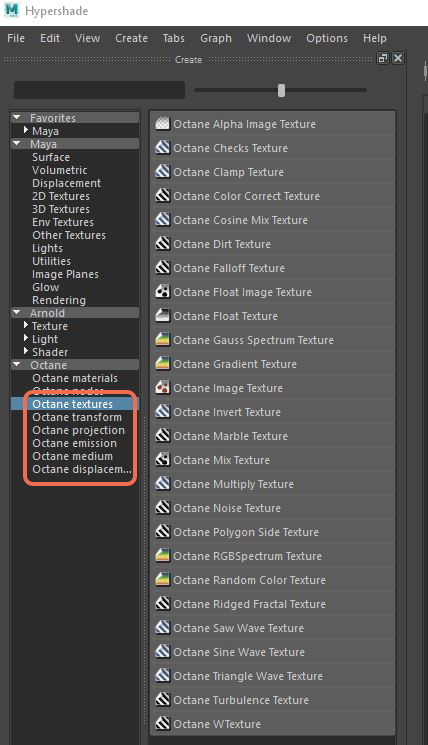
Figure 1 : Octane nodes in the Create Render Node window.
Comments
0 comments
Please sign in to leave a comment.