
Displacement mapping utilizes a 2D texture map in order to generate 3D surface relief. As opposed to bump and normal mapping, displacement mapping does not only provide the illusion of depth but it effectively displaces the position of points over the surface based on light and dark values of the displacement texture. The Octane Displacement node controls how the surface is displaced by the texture. To use a displacement map first connect the Octane Displacement node to the Displacement slot on the Octane shader, then connect the displacement texture to the Texture slot on the Displacement node (figure 1).
Displacement mapping is covered in more detail under the Texture Overview section.
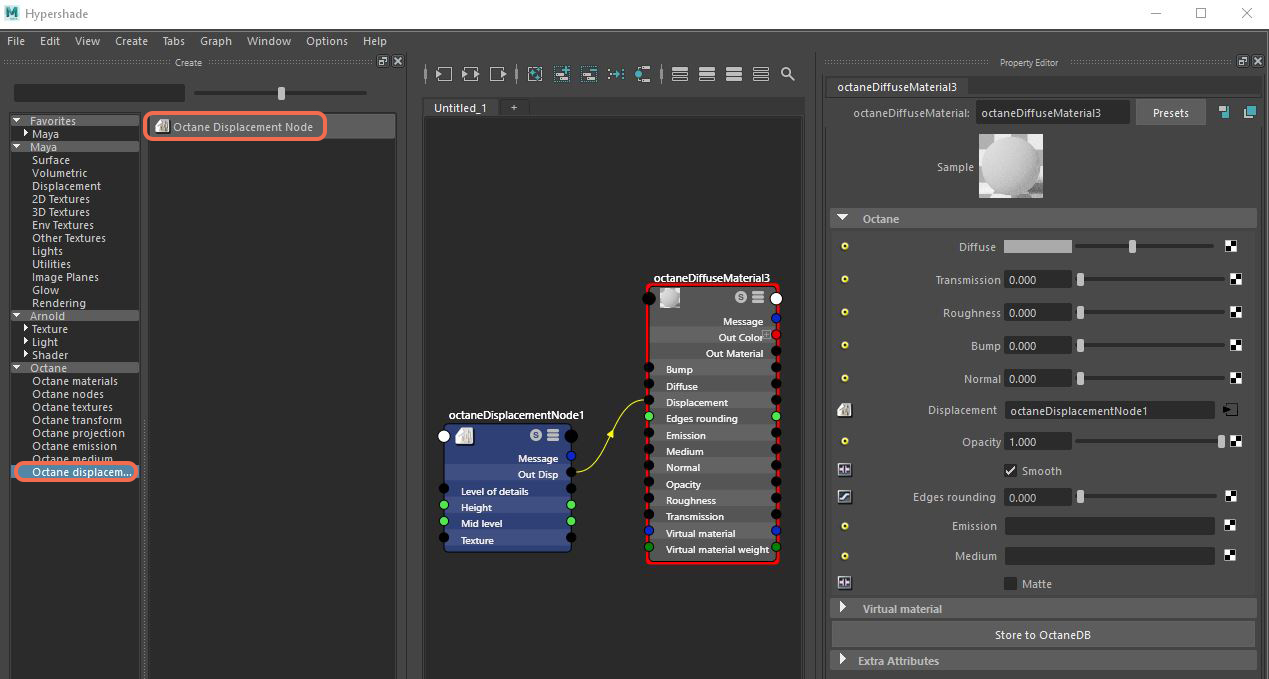
Figure 1 : A Displacement node is connected to an Octane shader in the Hypershade.
Comments
0 comments
Please sign in to leave a comment.