
Texture types allow for creating a wide variety of materials. This section of the reference guide details all the nodes related to textures and texture modifications available in OctaneRender for Cinema 4D.
There are four main types of Texture Nodes:
- Colors and Spectrum: Color and spectrum textures provide methods of applying a color to a material.
- Generators: Generator textures are used to actually create or modulate other textures. They are grey scale.
- Images:Image textures use image files to create the texture.
- Mappings: Mappings are nodes that allow mixing and manipulation of other texture nodes.
Textures can be accessed either from the Attributes window or from the OctaneRender Node Editor.
All OctaneRender texture nodes can be found from any attribute that has a Texture option in the Attributes window. In figure 1, a Dirt texture map is being added to the Roughness attribute of an Octane Glossy material.
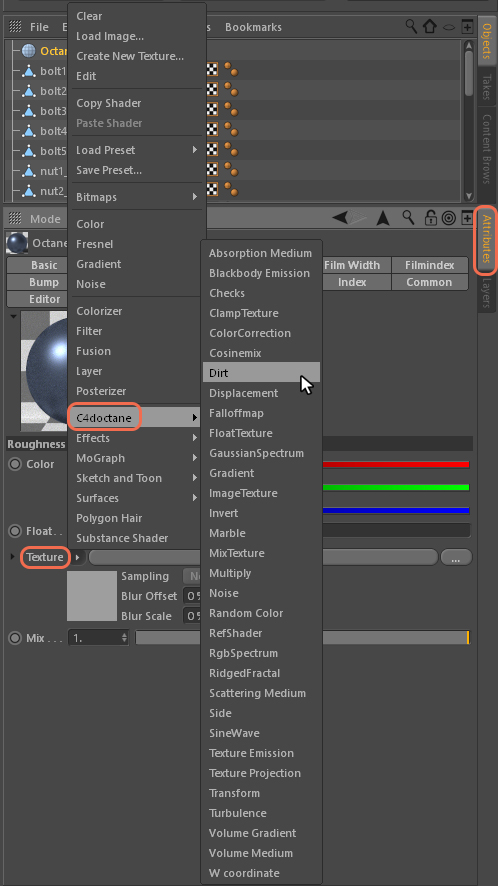
Figure 1: A Dirt texture is connected to a material's roughness channel.
The texture nodes can be accessed in the OctaneRender Node Editor from the filter buttons in the upper left of the window (figure 2).
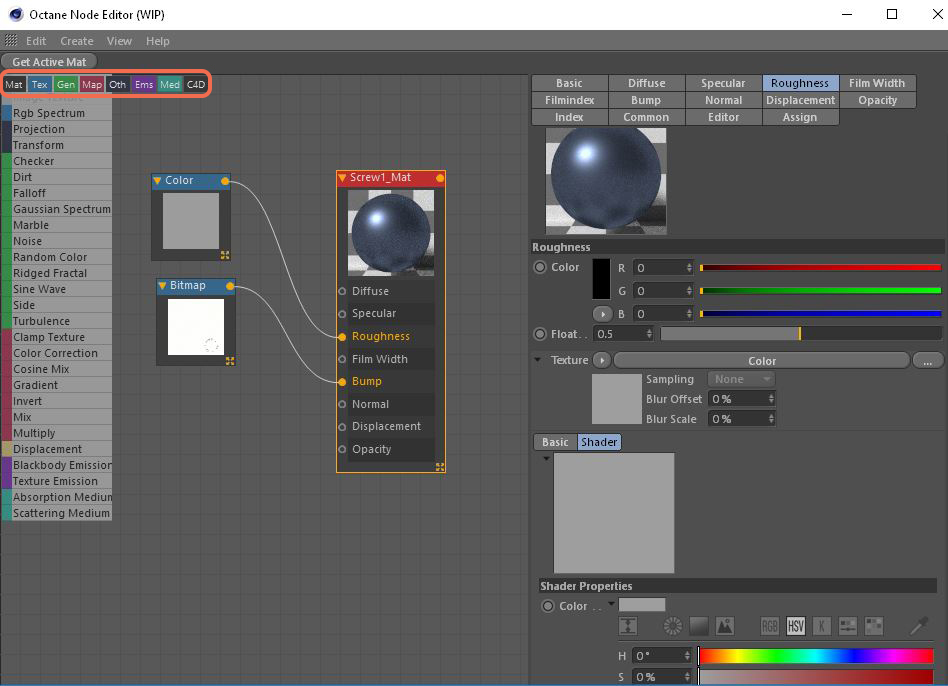
Figure 2: Textures can be accessed through the Cinema 4D Node editor.
Comments
0 comments
Please sign in to leave a comment.