
The Mix material is used to mix any two material types. It accepts any two material nodes and the mix may be controlled by a value, color, or texture.
In the following example, the Mix material is being used to mix a red colored Diffuse materials together with a white colored Glossy material. The result is a pink material that has a glossy style specular highlight. The influence the Diffuse or Specular material on the resulting Mix materials is determined by adjusting the Amount. (figure 1).
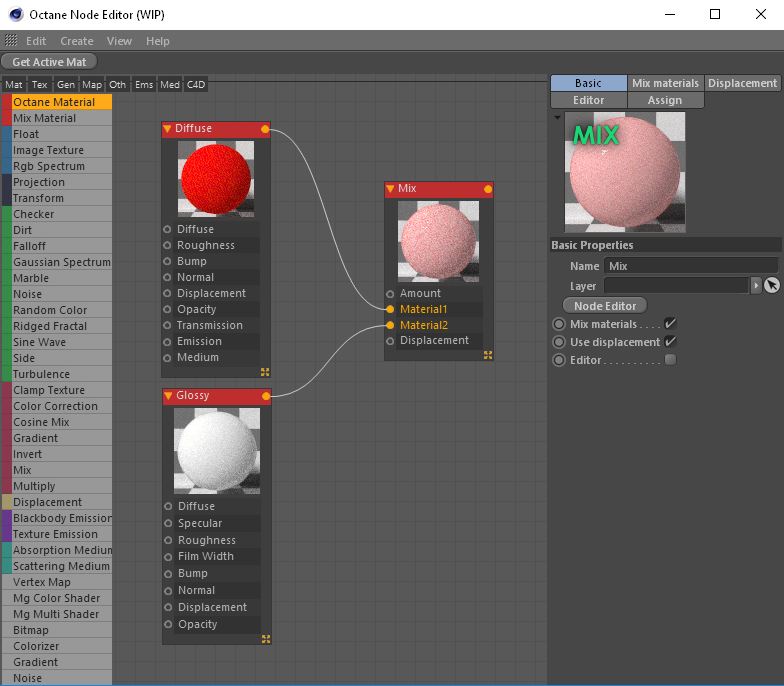
Figure 1: The Material Mix option is used to combine two different materials. It accepts any two material nodes and the mix may be controlled by a value, color, or texture.
Amount
By default the Amount is a slider that goes from 0 to 1 and controls the amount of influence each material has on the surface. A value of 1 means than Material 1 has the highest amount of influence. A value of 0 means that Material 2 has the highest amount of influence. Values in between blend the materials together. Procedural or image based textures can be used to control the amount. Dark and light texture values correspond to an amount setting of 0 and 1. Figure 2 shows how a Checks texture is used to mix a red Diffuse material with a white Glossy material.
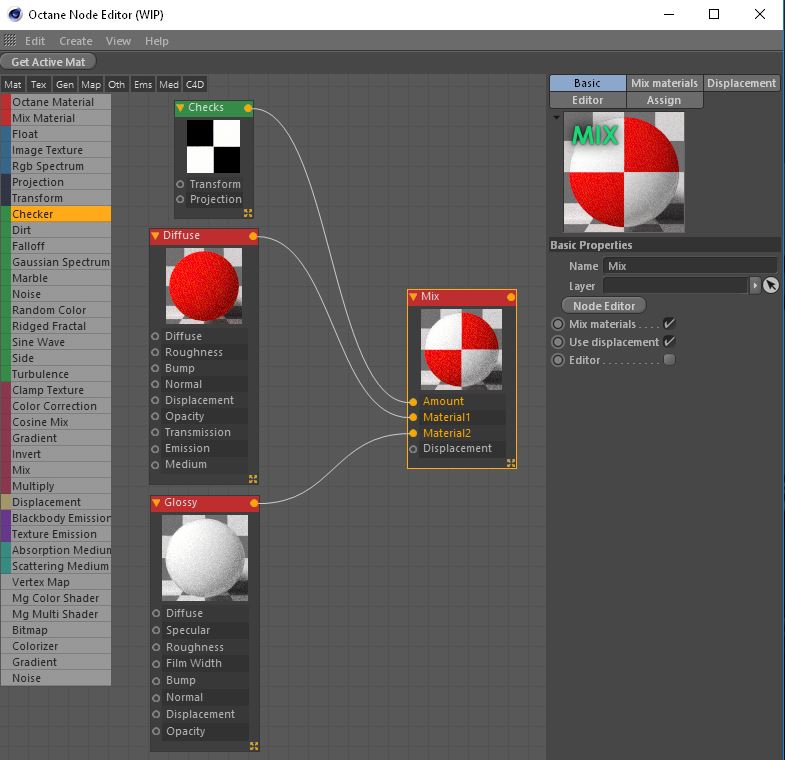
Figure 2: A Checks material is used to control teh mixing amount of a Diffuse and a Glossy material.
Material 1 and Material 2 pins are used to connect Octane material to the Mix material. Any Octane material can be connected to a pin including other Mix materials. A complex material can be created by connecting multiple Mix materials together. Common uses for the Mix material include combining a Diffuse material with and emissive output with a Glossy material that has specular reflections or combining a shiny Glossy material with a Specular material that uses a medium to create subsurface scattering effects.
Displacement
Connect an Octane Displacement node to the Mix materials’ Displacement pin. This is preferable to mixing materials that have their own displacement nodes/settings.
Comments
0 comments
Please sign in to leave a comment.