
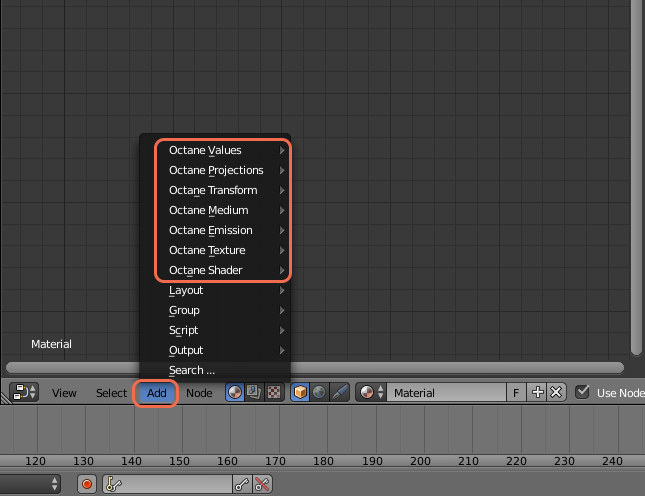
Texture types allow for creating very flexible materials. This section of the Reference Guide details all the texture nodes available in the Add Node menu of the Node Editor - Shaders category.
Texture types are classified into the following:
- Octane Values – Contains nodes for creating either float or integer values.
- Octane Projections – These specify how the procedural textures or image textures will be mapped across a surface.
- Octane Transforms - Contains nodes for setting various transformation types of other textures.
- Octane Medium - This category contains nodes for creating participating media inside objects such as subsurface scattering.
- Octane Emission - These nodes allow surfaces to emit light.
- Octane Texture – Texture maps with varying states including Alpha, Greyscale and RGB.
- Octane Shader - This category contains the top-level material types (Diffuse, Glossy, Specular, etc.)
Comments
0 comments
Please sign in to leave a comment.